ImageKit AI Transformations
AI and generative AI transformations built directly into your image and video URLs, helping your team deliver better visuals faster and at lower cost.
Smart & object-aware image cropping
One master image, many perfectly framed derivatives. Use fo-auto for smart crops, fo-face for face-centric thumbnails, or fo-{object} to focus on any of 80 + supported objects- cars, dogs, shoes, and more—directly in the URL.
AI-powered video smart crop
With AI-powered smart cropping for video, ensure the most important part of your footage is always in focus for vertical mobile screens, thumbnails, and social placements—without manual editing.
Combine with adaptive bitrate streaming (HLS & DASH) to deliver buffer-free playback that automatically adjusts to network conditions across any device or geography.

Generative Fill to extend any image
Resize an image to a new width or height and let bg-genfill intelligently paint the missing pixels. Ideal for turning portrait shots into hero banners, no reshoots, no awkward crops.
Change image background
Replace dull or cluttered backdrops with on-brand scenes using e-changebg-prompt-{text}. Describe the environment - “warm wooden table studio lighting” or “snow-covered mountains at dusk” - and ImageKit composites it behind the subject with photo-realistic accuracy.
Chain with other transformations like e-dropshadow to deliver ready-to-publish product shots at scale.
Remove image background & add shadow
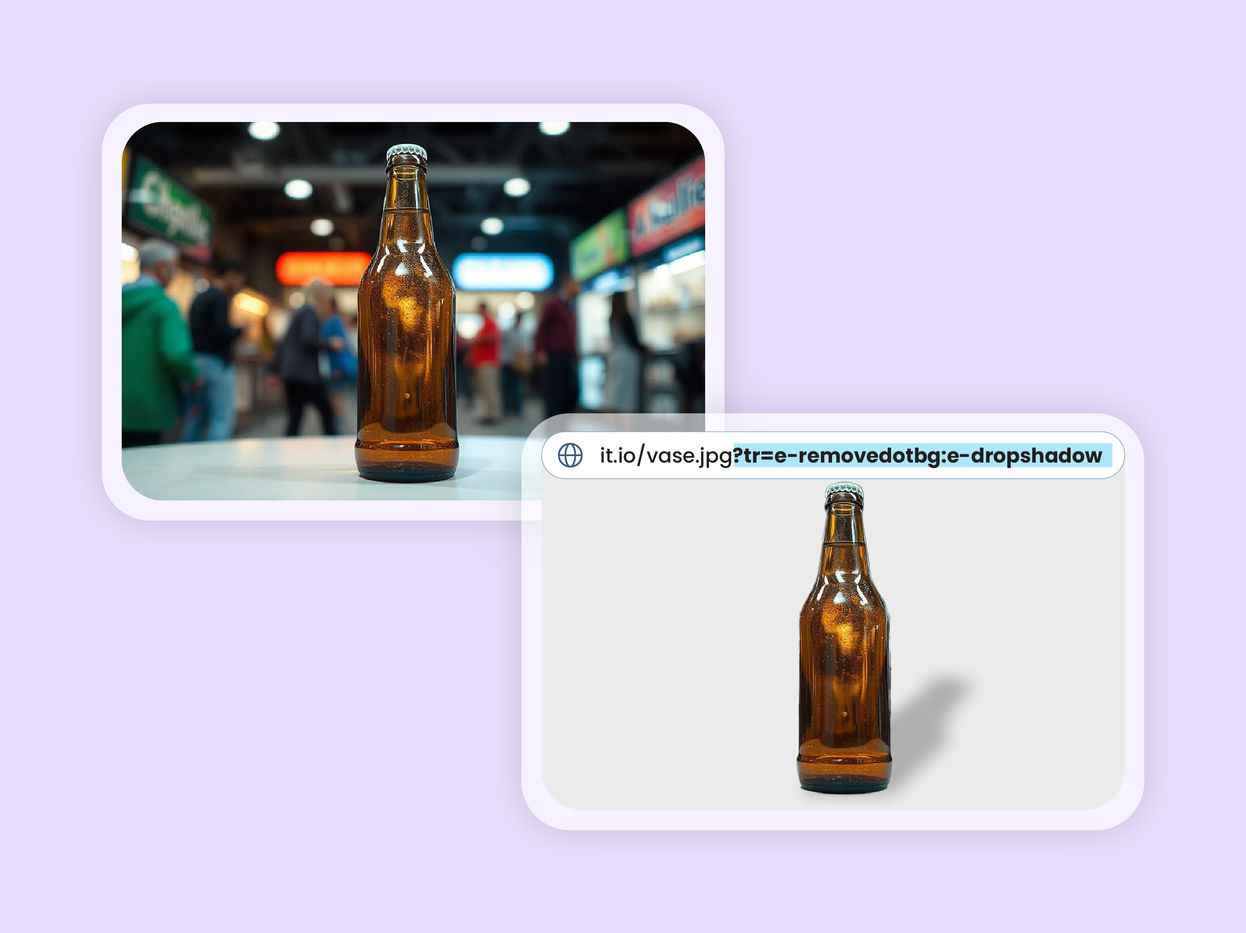
Isolate subjects with e-removedotbg (or cost-efficient e-bgremove) and append e-dropshadow for realistic shadow - no manual masking required.
Need branding? Simply append an l-image overlay to stamp your logo in the same URL—consistent, repeatable, and fully automated.
Upscale low-resolution images
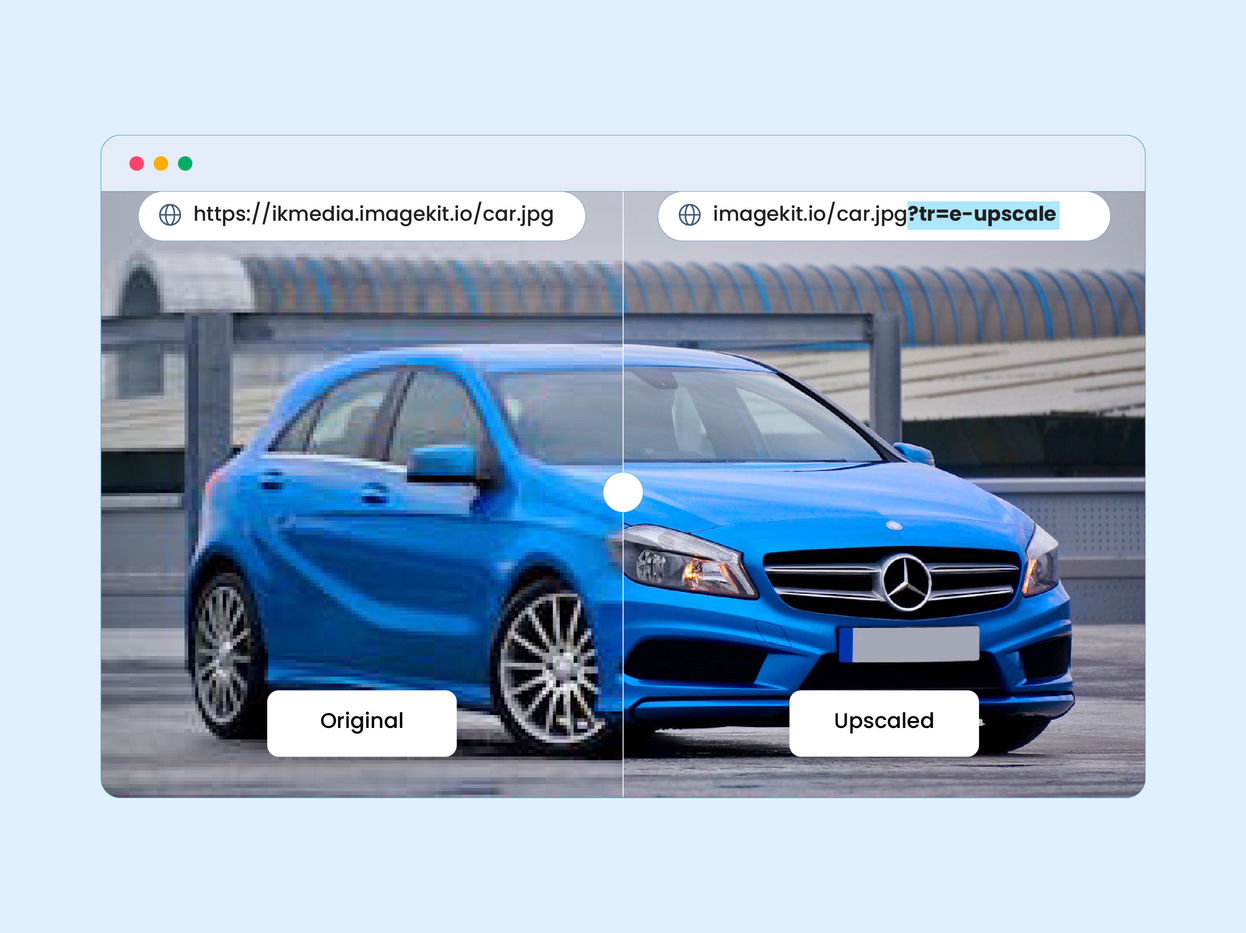
Boost resolution up to 4 × with the e-upscale transformation—produce crisp, detailed visuals from legacy or user-generated content in a single call.
Generate images from text prompts
Describe your visual in ik-genimg-prompt-{text} and ImageKit returns a brand-new, copyright-safe image—no stock fees, no design queue.

Generate image variations
Keep campaigns fresh with e-genvar. Start from one asset and instantly render limitless colour, fabric, or style variants—on demand.
AI-powered video player
Build YouTube-like playback experiences on your own site with ImageKit's video player—and let AI handle the heavy lifting. Automatically transcribe, segment, and enrich every video so viewers stay engaged, without manual editing.
Automatically transcribe videos and display subtitles in 100+ languages, with word-level highlighting that keeps viewers in sync.
Use AI-generated subtitles, bring your own WebVTT files, or combine both for a polished viewing experience.


Create delivery URLs for DAM assets by chatting with the DAM Agent
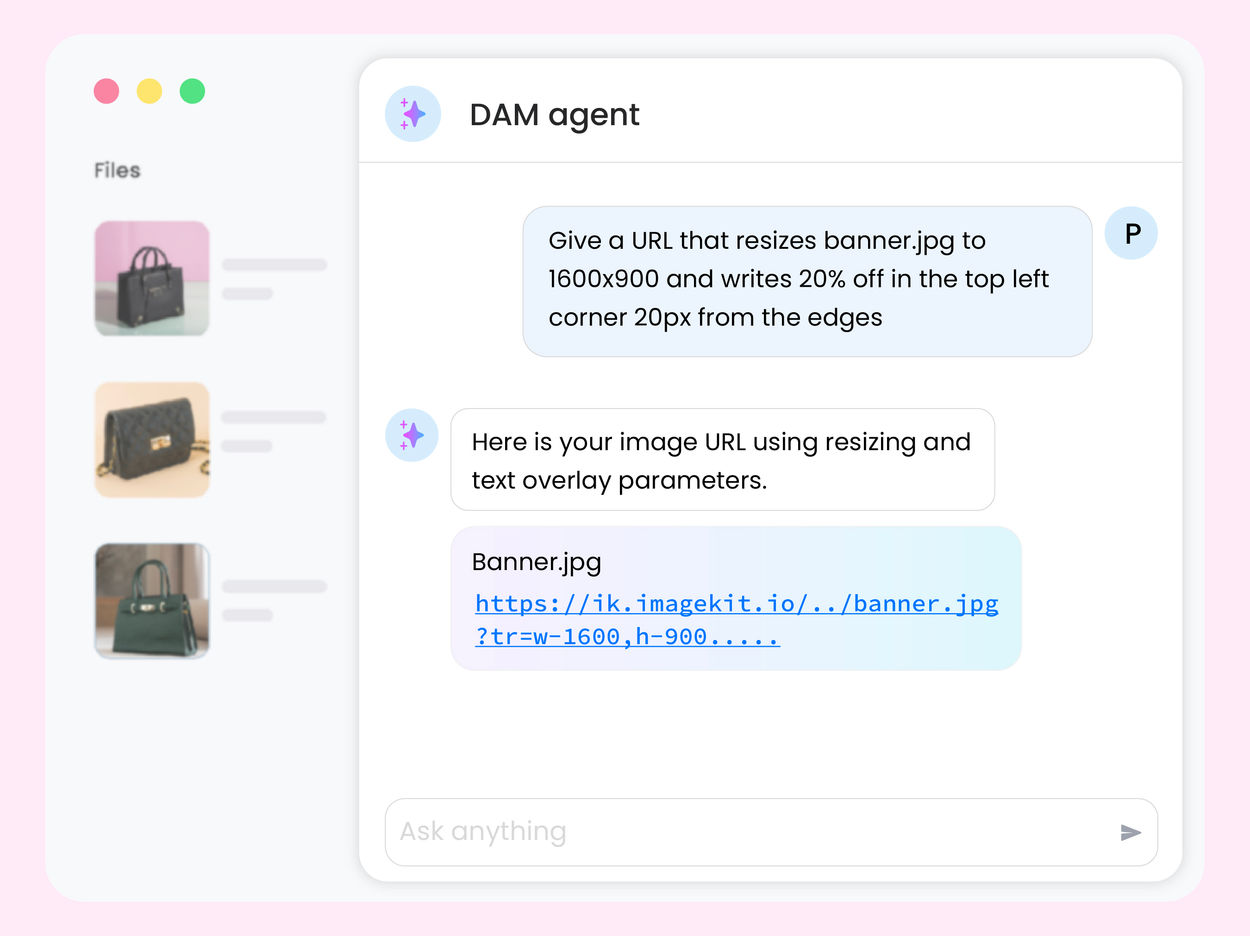
Pick any asset in your ImageKit DAM and tell the DAM Agent what you need, like "a 1200×628 social banner with the background removed". It replies with a ready-to-use delivery URL with every transformation applied — resizing, cropping, text overlays, background removal, upscaling, and more. Ask for more renditions in the same conversation, without learning URL syntax.
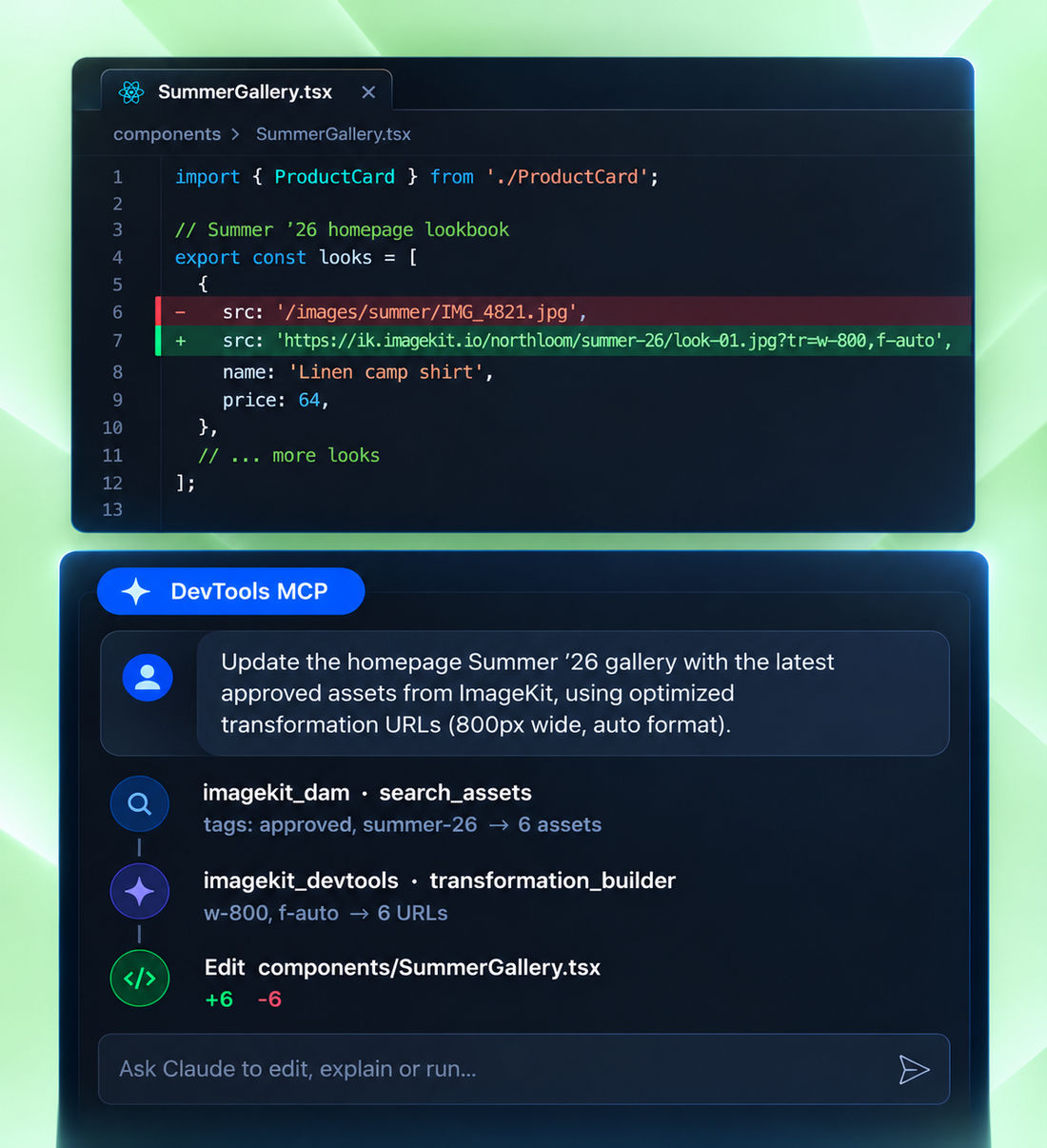
Get every ImageKit transformation right the first time
LLMs were trained before the latest version of ImageKit, so on their own they invent transformation parameters. DevTools MCP gives Claude, Cursor, VS Code, and Copilot the current source of truth. It needs no sign-in, so your coding agent can use it right away. Working in your media library or account settings? See DAM MCP and Admin MCP.
- transformation_builder — Turns plain English into a working URL, including AI edits, background removal, generative fill, upscaling, smart crop, and overlays.
- search_docs — Answers "how do I…" from official docs, API references, SDK examples, and community posts.
Give any AI assistant the full ImageKit docs
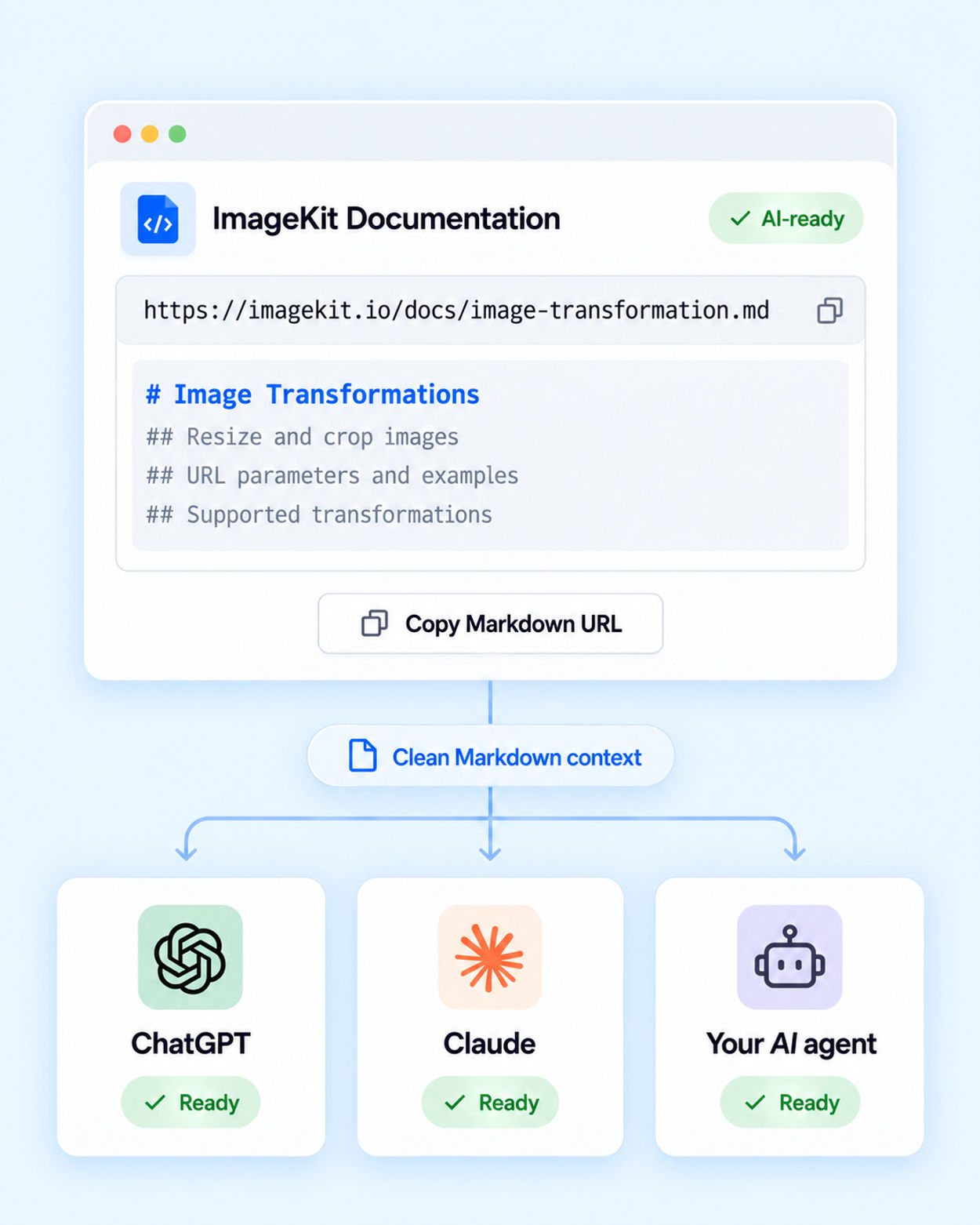
Not every assistant supports MCP. Every ImageKit docs page is also available as plain-text Markdown: add .md to any docs URL, or use Copy page.
Plain text uses fewer tokens than scraped HTML, includes content hidden in tabs and accordions, and keeps a heading structure LLMs can follow. Hand llms-full.txt to ChatGPT, Claude, or your own agent and it answers from the current docs in a single request.