
What is Cloudinary?
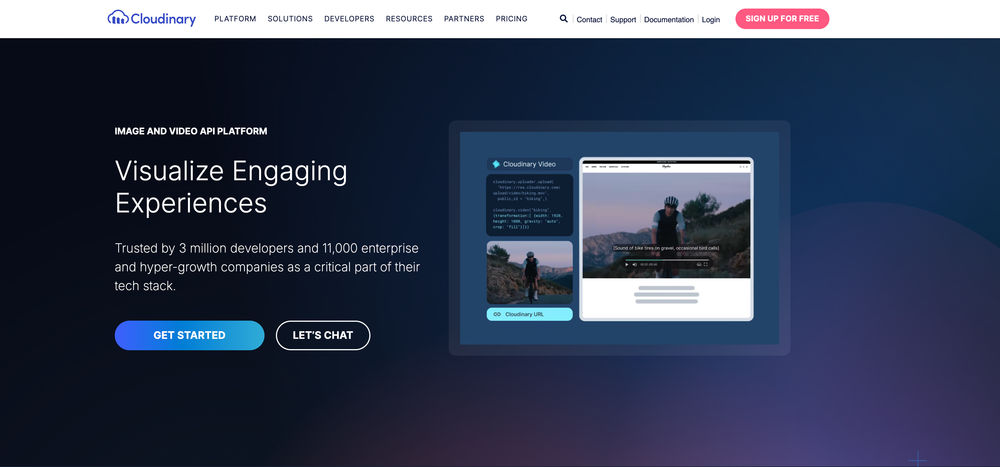
Cloudinary is an end-to-end media management platform that combines developer-friendly image and video APIs with Cloudinary Assets, its DAM product for marketing and creative teams. It supports asset upload, storage, real-time transformations, optimization, AI-assisted workflows, video processing, and global CDN delivery.
What is Brandfolder?
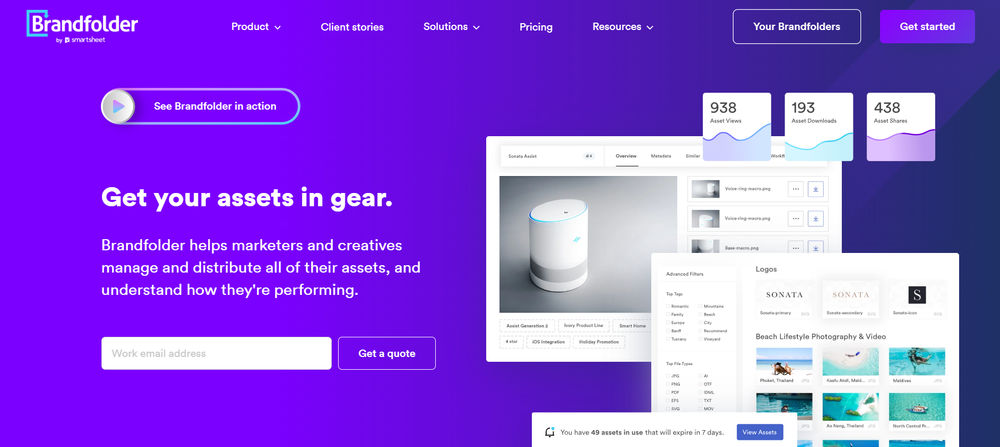
Brandfolder by Smartsheet is a DAM-first brand asset management platform focused on organizing, managing, distributing, and analyzing digital assets from a central source of truth. It supports branded portals, collections, permissions, metadata, custom fields, AI-assisted tagging and search, Smart CDN delivery, asset analytics, creative workflow, templates, Brandguides, and integrations across marketing and creative systems.
Cloudinary strengths and weaknesses
Cloudinary strengths
- Strong developer platform for image and video transformation, optimization, and delivery.
- Good DAM features across tags, metadata, permissions, approvals, and portals.
- Excellent fit for teams that want one platform for uploads, transformations, optimization, CDN delivery, and asset management.
- Strong documentation, SDKs, APIs, URL-based workflows, and integration options for engineering teams.
- Supports advanced video workflows, including transcoding, thumbnails, transformations, and HLS/MPEG-DASH adaptive streaming.
- AI features are broad, covering smart crop, background removal, auto-tagging, moderation, and generative editing.
Cloudinary weaknesses
- Costs can be high and hard to forecast because usage depends on credits which further depend on multiple inter-linked parameters such as transformations, storage, bandwidth, video processing, add-ons, and DAM usage.
- Some valuable DAM features, such as portals, creative approval, media editors, and advanced enterprise controls, may require Enterprise plans or additional cost.
- The product can feel complex for non-technical users because it spans developer APIs, DAM workflows, transformations, delivery, AI, and governance.
- Advanced AI and automation features may not be equally useful for every catalog, especially where visual assets are highly similar or require custom taxonomy.
- Teams looking only for lightweight image optimization may find Cloudinary broader and heavier than necessary.
Brandfolder strengths and weaknesses
Brandfolder strengths
- Good usability for marketing, brand, sales, and creative teams that need quick asset discovery and sharing.
- Strong brand portal and external distribution workflows, including collections, share links, guest access, permissions, and vanity URLs.
- Good DAM foundation for metadata, custom fields, tags, labels, sections, collections, asset availability controls, and user permissions.
- Smart CDN lets teams embed Brandfolder assets across websites, CMS, ecommerce, email, and other channels while keeping assets updateable from the DAM.
- Brand Intelligence adds AI-assisted auto-tagging, OCR/document intelligence, video AI, speech-to-text transcription, scene detection, and asset analytics capabilities.
- Strong fit for Smartsheet customers because Brandfolder is part of the Smartsheet ecosystem and integrates with Smartsheet workflows.
- Good creative enablement features, including templates, Brandguide, content automation, bulk management, proofing, and creative workflow support.
Brandfolder weaknesses
- Pricing is not publicly listed in a simple self-serve table; customers need sales engagement for a quote.
- Advanced capabilities are split across Premium and Enterprise tiers, so features like SSO, asset analytics, document intelligence, video AI, custom automation, granular permissions, vanity URLs, and enterprise creative tooling may depend on plan scope.
- Smart CDN and download formatting are useful, but Brandfolder is not a full developer-first image/video transformation API like ImageKit or Cloudinary.
- Video capabilities are DAM-oriented, including playback, clipping, watermarking, resolution/file-type changes, and Video AI, rather than broad programmable transcoding and adaptive streaming workflows.
- Teams may need onboarding and taxonomy planning because Brandfolder's tagging, custom fields, sections, labels, and collections model can differ from folder-based storage habits.
- Some integrations, automation, permissions, analytics, and enterprise controls may require configuration, admin work, or higher-tier packages.
Feature Comparison between Cloudinary and Brandfolder
Here is a detailed look at how Cloudinary and Brandfolder compare across Image Optimization and Transformations, Video Optimization and Transformations, Digital Asset Management, Other AI Capabilities, and Pricing.
Image Optimization and Transformations comparison
Cloudinary provides comprehensive image upload, storage, transformation, optimization, and CDN delivery. Transformations can be applied through URLs, SDKs, APIs, and DAM workflows.
Brandfolder supports DAM-led image management, resizing, cropping, file format conversion, Smart CDN embedding, custom fields, metadata, AI-assisted tagging, and controlled downloads. It is strong for brand-governed image distribution, but less developer-first than ImageKit or Cloudinary for advanced real-time transformations.
| Feature | Cloudinary | Brandfolder |
|---|---|---|
| Real-time Transforms | On-demand URL/API transformation. | Smart CDN can format embedded assets on the fly, but transformation scope is narrower than developer-first image APIs. |
| Resize and Crop | Resize, crop, fill, pad, gravity controls. | Resize, crop, preset crop types, freeform cropping, and width/height changes while preserving aspect ratio. |
| Format Conversion | AVIF, WebP, JPEG, PNG, GIF, SVG, and other supported formats. | Users can change file type during download or export; bulk resize/convert supports common outputs such as PNG and JPG. |
| Quality Optimization | Automatic quality and format optimization. | Smart CDN focuses on high-quality, low-latency delivery, but not the same automatic quality optimization depth as other media processing products. |
| Smart Crop | AI subject, face, and auto-gravity cropping. | Cropping and preset crop workflows are supported; public docs do not position it as a broad AI smart-crop API. |
| Watermarking | Image/text overlays and dynamic watermarks. | Watermarks can be applied at Brandfolder or asset level for supported image and video formats. |
| Responsive Images | Responsive breakpoints and DPR-aware delivery. | Supports resized outputs and CDN embeds, but not a dedicated responsive-breakpoint system. |
| CDN Delivery | Global CDN delivery, with multi-CDN support available. | Smart CDN embeds Brandfolder assets across web, CMS, ecommerce, email, and other channels. |
Video Optimization and Transformations comparison
Cloudinary provides end-to-end video management including upload, transcoding, adaptive streaming, resizing, clipping, overlays, thumbnails, optimization, and CDN delivery.
Brandfolder supports DAM-based video management, playback, previews, clipping, watermarking, file type and resolution changes, 1080p streaming inside Brandfolder, uploads up to 8K, and Video AI. Its video capabilities are useful for managing and distributing approved video assets, but they are not as broad as ImageKit-style programmable video processing and adaptive streaming workflows.
| Feature | Cloudinary | Brandfolder |
|---|---|---|
| Video Transcoding | Automatic and explicit transcoding supported. | Video file type and resolution changes are supported; not positioned as a broad programmable transcoding API. |
| Adaptive Streaming | HLS and MPEG-DASH adaptive bitrate streaming. | Brandfolder supports video streaming in the DAM, but public docs do not clearly position it as HLS/DASH adaptive streaming like ImageKit or Bynder AVS. |
| Video Resizing | Resize, crop, trim, clip, and overlay videos. | Users can change video resolution and file type, depending on permissions and feature availability. |
| Thumbnail Generation | Thumbnails, previews, and poster frames. | Video previews and thumbnails are supported as part of video asset management. |
| CDN Delivery | Global CDN-backed video delivery. | Smart CDN and embed workflows support asset distribution, but video delivery is DAM-led rather than a full video CDN platform. |
| Video Smart Crop | AI-powered smart crop for video content. | |
| AI-generated Subtitles and Chapters | AI-generated captions, subtitles, and chapter markers. | |
| Automatic Subtitle Translation | Automatic translation of subtitles into multiple languages. | |
| Recommendations and Playlists | Video recommendation and playlist management capabilities. | |
| Seek Thumbnails | Seek thumbnail previews for scrubbing through video timelines. | |
| Customizable Video Player | Embeddable, customizable video player with branding and control options. |
Digital Asset Management comparison
Cloudinary Assets is a DAM product with asset organization, search, metadata, permissions, collections, sharing, portals, and workflow capabilities. However, the complete DAM feature set is primarily documented for Enterprise customers, and some capabilities such as portals, creative approval, and media editors may require Enterprise plans, paid add-ons, or account enablement.
Brandfolder is a mature DAM focused on usability, brand governance, external sharing, metadata, collections, permissions, analytics, AI-assisted search, and creative enablement. It supports Brandfolders, sections, labels, collections, asset containers, custom fields, tags, availability/expiration controls, user roles, branded portals, Brandguides, content automation, templates, and integrations.
| Feature | Cloudinary | Brandfolder |
|---|---|---|
| Upload and Storage | Browser, API, widget, and bulk upload workflows. | Centralized upload and storage, including browser upload, bulk upload, API upload, external source import, and asset containers. |
| Metadata Tagging | Tags, structured metadata, and custom taxonomies. | Tags, custom fields, metadata, labels, sections, controlled fields, and AI-assisted auto-tagging. |
| Version Control | Asset version history and restore workflows when backups are enabled. | Asset replacement, attachments, merged asset containers, and lifecycle workflows are supported. |
| Brand Portal | Branded portals and controlled sharing; Enterprise/additional-cost caveats may apply. | Branded Brandfolders, collections, white labeling, vanity URLs, and external sharing workflows. |
| Collections | Curated collections and shareable asset groups. | Collections organize and restrict subsets of assets for internal or external audiences. |
| Role-based Access | Roles, permissions, groups, and access controls. | User management, permissions, guest access, privacy controls, and more granular controls on Enterprise. |
| Approval Workflows | Creative approval workflows; premium Enterprise plan only. | Creative workflow, proofing, content automation, templates, and review workflows are available depending on package. |
| AI Agents | Agentic operations via native AI agents and Cloudinary MCP servers. | |
| AI-powered Search | Search using metadata, tags, AI labels, and visual/semantic capabilities depending on setup. | AI-assisted tags, OCR/document intelligence, suggested search, filtering, pinned searches, and video AI improve discovery. |
| AI-powered Tagging and Metadata | AI labels, tags, and metadata enrichment. | Auto-tagging, document intelligence, video AI tags, speech-to-text transcription, and metadata enrichment are supported. |
| AI-powered Content Creation | Studio and generative editing workflows; availability may vary by plan and feature. | Content Automation and templates support on-brand content creation, but not broad generative AI editing like ImageKit or Bynder Studio AI. |
Other AI Capabilities comparison
Cloudinary offers a broad AI suite for auto-tagging, smart crop, background removal, moderation, generative editing, object removal, object replacement, recoloring, and content-aware transformations. Some AI features are add-ons, premium capabilities, or may have usage-based cost implications.
Brandfolder offers Brand Intelligence for AI-assisted DAM workflows, including auto-tagging, document intelligence/OCR, video AI, speech-to-text transcription, scene detection, people tagging, suggested search, and asset analytics. These capabilities are oriented toward asset discoverability, metadata, governance, and performance insights rather than broad generative media editing.
| Feature | Cloudinary | Brandfolder |
|---|---|---|
| Background Removal | AI background removal transformations. | |
| Content Moderation | AI-assisted moderation and brand/quality checks. | Governance is supported through permissions, availability controls, usage agreements, view-only assets, and workflows, but not as a dedicated AI moderation suite. |
| Generative Fill | Generative fill, replace, remove, recolor, restore, and background replacement. | |
| Background Change | AI-powered background change and replacement. | |
| Upscale | AI upscaling for enhanced image resolution. |
Pricing comparison
Cloudinary uses credit-based pricing for Free and self-serve paid plans, with Enterprise contracts available. Published pricing exists for self-serve plans, but real cost can be difficult to forecast because usage depends on transformations, storage, bandwidth, video processing, DAM seats, add-ons, and Enterprise features.
Brandfolder pricing is sales-led and package-based. Its public pricing page describes Premium and Enterprise plans but does not publish a simple price table. Final cost depends on package, users, storage, distribution needs, analytics, automation, permissions, creative tooling, integrations, implementation, and support requirements.
| Feature | Cloudinary | Brandfolder |
|---|---|---|
| Free Tier | Free monthly usage is available. | |
| Self-serve | Published self-serve plans are available. | |
| Usage-based Pricing | Credits are used across media operations on Free and self-serve paid plans. | Pricing varies by plan scope, storage, users, distribution requirements, features, and enterprise needs. |
| Transparent Pricing | Published plans exist, but credit forecasting and add-on costs can be complex. | |
| Enterprise Plans | Enterprise contracts, enterprise DAM features, and advanced support are available. | Premium and Enterprise packages are described publicly, with Enterprise adding automation, granular permissions, organizational controls, creative tooling, BI connector, and vanity URL. |
Who should use Cloudinary?
Teams that need advanced image and video transformation alongside DAM capabilities. Cloudinary is especially strong for organizations combining developer workflows, AI media operations, visual asset libraries, metadata, approvals, portals, permissions, and brand distribution. Some DAM, portal, approval, editor, and AI capabilities may require Enterprise plans, paid add-ons, or account-specific enablement. Visit Cloudinary website.
Who should use Brandfolder?
Marketing, brand, creative, sales enablement, ecommerce, and enterprise teams that need an intuitive DAM for governed asset sharing, brand consistency, external distribution, asset analytics, and self-serve content access. Brandfolder is especially strong for non-technical teams that need a usable DAM and branded asset portal, but it is less suited to developer-first, real-time image/video transformation pipelines than platforms like ImageKit or Cloudinary. Visit Brandfolder website.
Why consider ImageKit?
ImageKit covers both, media processing and DAM, in a single platform. It provides real-time image and video transformation capabilities alongside a DAM with metadata, custom fields, visual search, version control, collections, sharing, collaboration, role-based access, AI tagging, AI Tasks, AI agent, and audit logs — without requiring separate products or a custom integration layer between them. For teams comparing a media processing platform to a DAM, ImageKit reduces the need to choose: marketing and creative teams get a governed asset library, while engineering teams get URL-based transformation APIs and CDN delivery, all in one shared workflow. Public Pay-per-use pricing starting at $9 per month and primarily based on bandwidth and media uploaded makes it a more economical alternative to bundled enterprise contracts or paying separately for a DAM and a media delivery service. Read ImageKit's documentation here.